Rename from Station CommandDifficultyintermediateAdded2027.0StatusdraftRename from Crossing Alignment Command
Description:
Updates pipes' and/or alignment's names or descriptions with the station of an alignment that crosses the pipe or alignment. This is useful for renaming culverts alignments and pipes to the station of the corridor (alignment) that they cross.
Location on Compact Ribbon:
Location on Extended Ribbon:
Instructions:
-
Click on the command in the ribbon.
-
Select the type of entity to change the name or description of:

-
Select pipes and/or alignments to change the name or description of:

-
Select an alignment that crosses the selected pipes and/or alignments:

-
Choose the desired property to update:

-
Type in text that will be used as a prefix to the station value:

-
Type in text that will be used as a suffix to the station value:

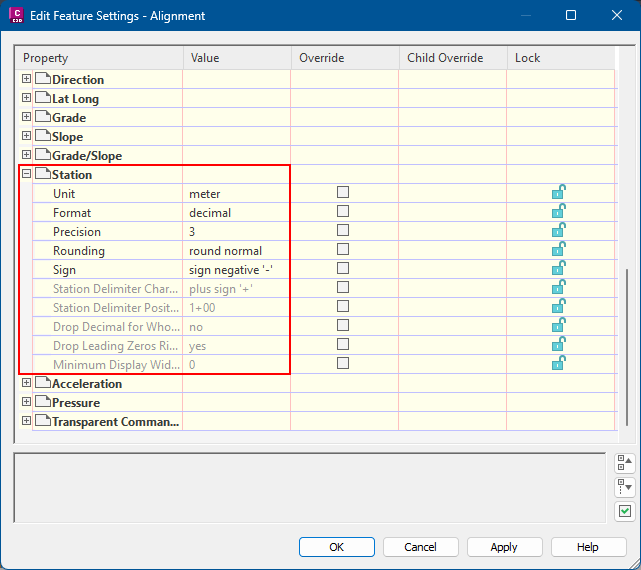
Note that the station value and format will match the Civil 3D alignment station settings under Toolspace - Settings - Alignments - Edit Feature Settings - Station. Make sure to change these setting prior to running the command: