Roads
Command
Region Gaps CommandDifficultyintermediateAdded2027.0StatusdraftAdd Gap between Regions Command
Description:
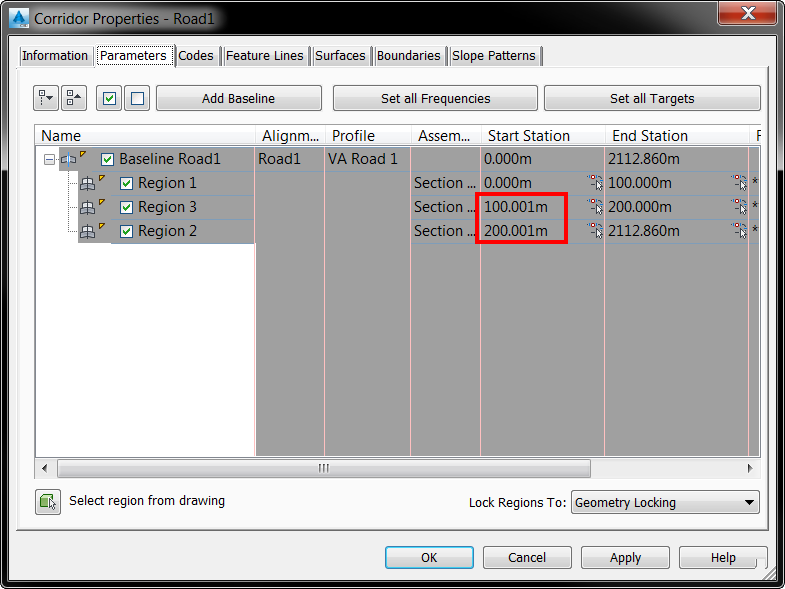
This command adds a one millimeter gap between the corridor regions. Corridor surfaces may generate incorrectly if there is no gap between corridor regions or if there is significant variation between assemblies, causing two different assemblies to exist at the same chainage.
Location on Compact Ribbon:
Location on Extended Ribbon:
Instructions:
- Click on the command in the ribbon and select the corridors.
Before:
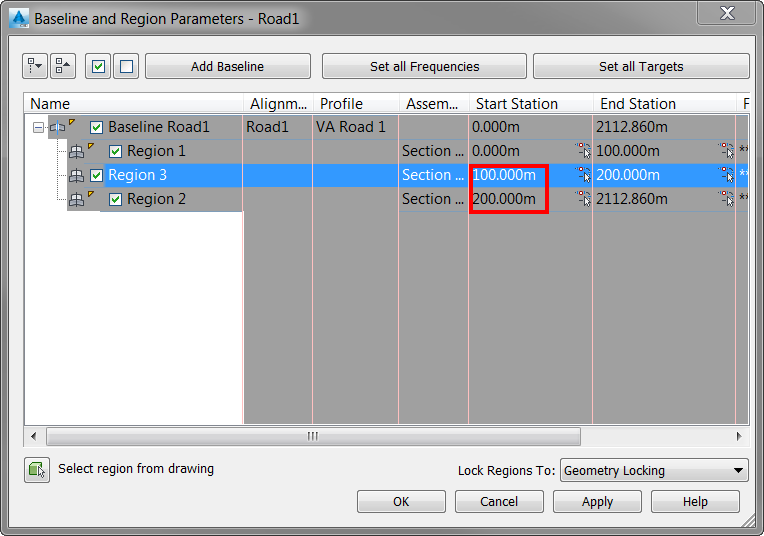
**After:
**