Extract Polylines CommandDifficultyintermediateAdded2027.0StatusdraftExtract Polylines from Feature Lines Command
Description:
Extracts corridor feature lines as 3D polylines. It optionally will place the 3D polylines on custom layers based on the feature line code.
Location on Compact Ribbon:
Location on Extended Ribbon:
Instructions:
-
Run the command.
-
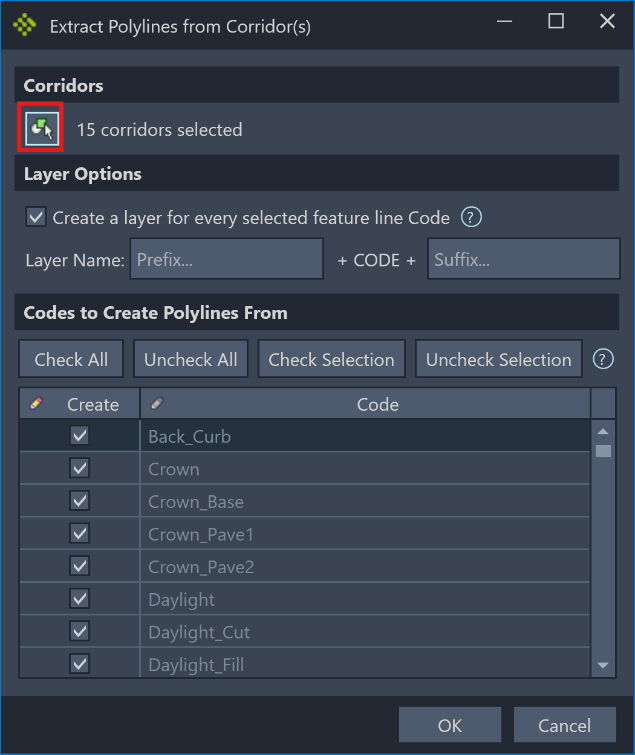
Select the corridors that you want to extract 3D polylines from using the selection button:
-
In the dialog choose if the 3D polylines must be created on the active layer (checkbox is unchecked) or if layers must be created for every feature line code selected in the list (checkbox checked). If layers are to be created then a suffix and prefix can be supplied to customize the layer name.
-
From the grid select the feature line codes that must be converted into 3D polylines by checking the boxes in the first column. The buttons above the list can be used to easily select/unselect multiple codes at once.
-
Click the OK button and 3D polylines will be created on top of the selected corridors.