StormwaterWastewaterWater
Command
Structure Coordinates CommandDifficultyintermediateAdded2027.0StatusdraftImport CSV SS (Structure to Structure) Command
Description:
Imports a CSV file as network parts. This command is often used for crossing services
Location on Compact Ribbon:
Location on Extended Ribbon:
Instructions:
The CSV file is organized in such a way that each row is a coordinate of a structure.
The .csv file which must contain the following information:
START Y,START X,START Z,END Y,END X,END Z,PIPE TYPE,DIAMETER
Note: SS means structure to structure.
As the PIPE TYPE use:
W − water,
S − sewer,
SW − stormwater.
-
Run the command.
-
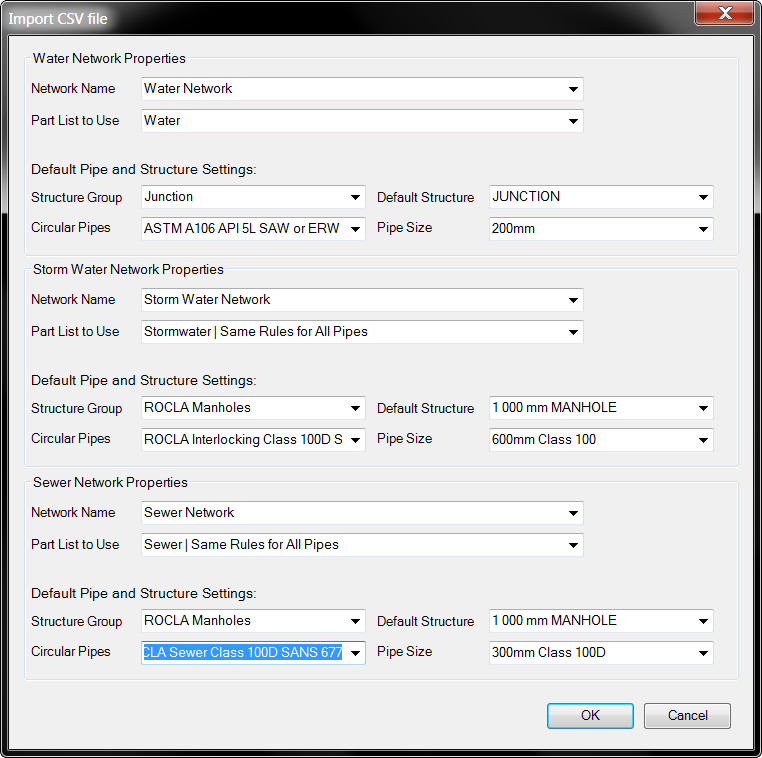
Set up the required fields for each network type:
Created networks:
