StormwaterWastewaterWater
Command
EPA SWMM CommandDifficultyintermediateAdded2027.0StatusdraftImport EPA SWMM INP Command
Description:
Imports a sewer or stormwater network from a EPA SWMM INP file (.inp).
Location on Compact Ribbon:
Location on Extended Ribbon:
Instructions:
-
Run the command.
-
In the dialog that is shown on the Select File page select the INP file to import, the network type, name and parts list.
-
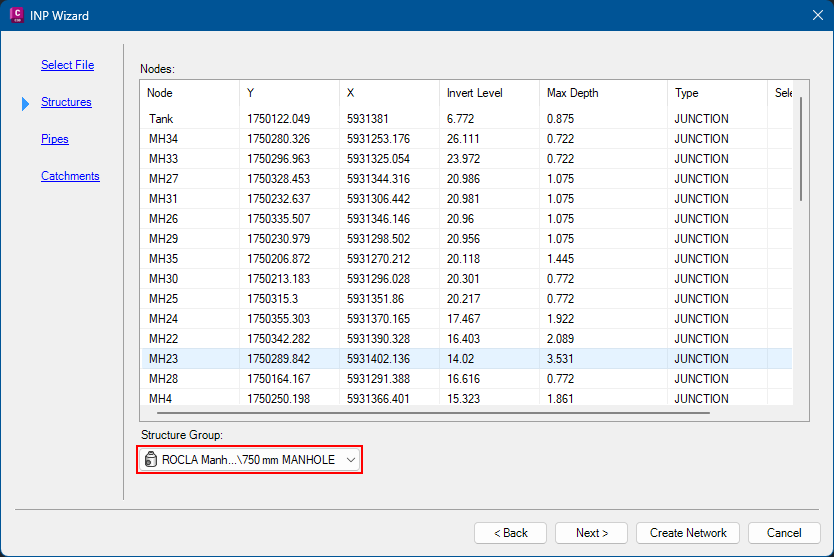
On the Structures page select a structure family to apply to all nodes in the INP file:
-
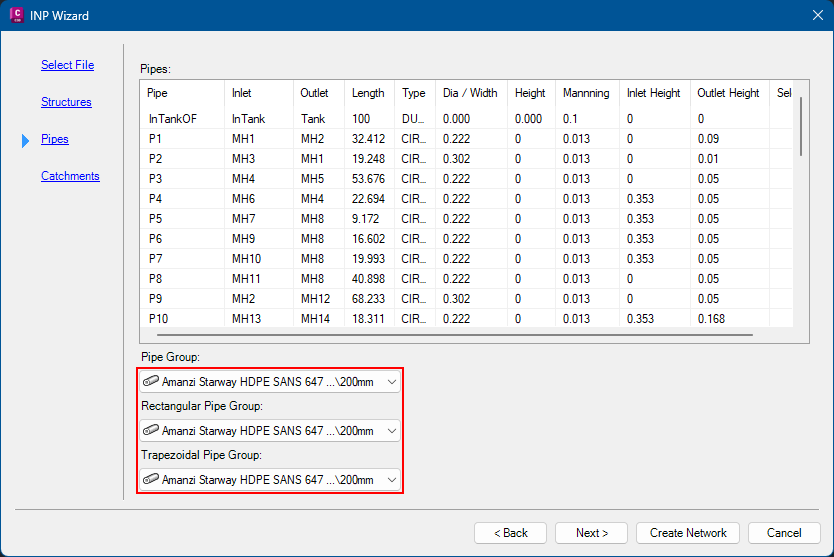
On the Pipes page select structure families for the various link types to apply to the INP links:
-
The Catchments page displays a list of catchments in the INP file:
-
Click the Create Network button and the network will be imported.