Inlet Types CommandDifficultyintermediateAdded2027.0StatusdraftJunction Types Command
Description:
Automatically adds a junction type into the structure properties. The junction type can be used for labels and tables.
Location on Compact Ribbon:
Location on Extended Ribbon:
Instructions:
As an example, the City of Tshwane defines four junction types: A, B, C and D, as can be seen in the image below:
-
Run the command.
-
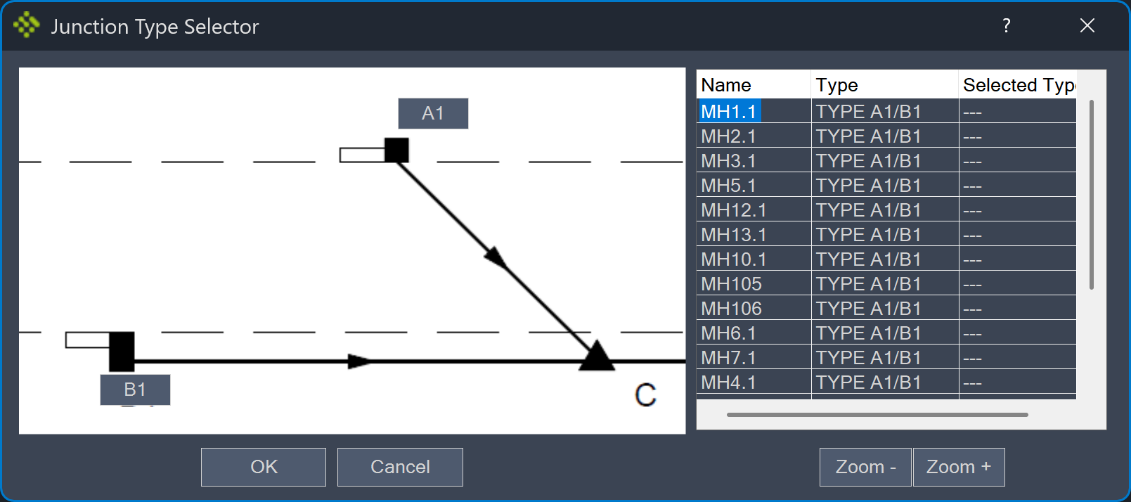
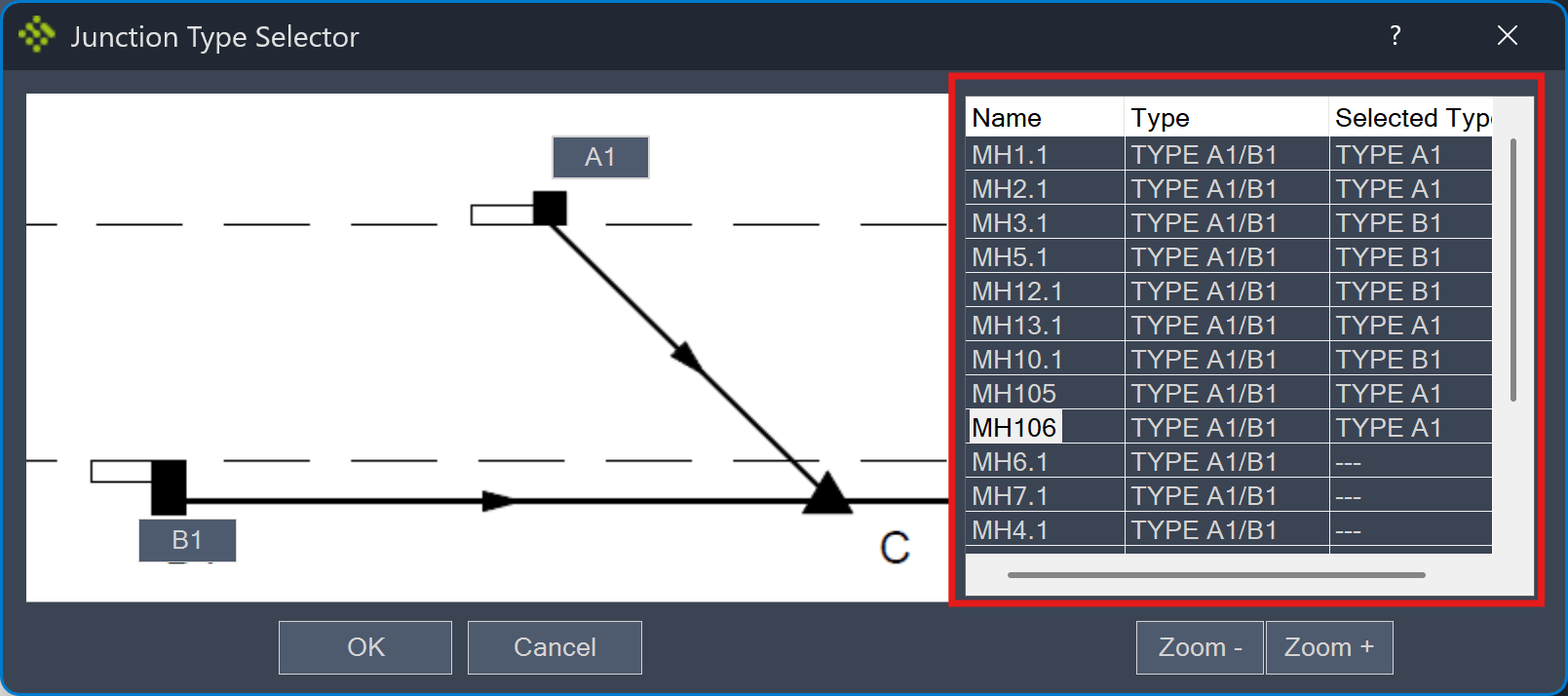
If the types A and B are in the network, the Junction Type Selector window opens:
-
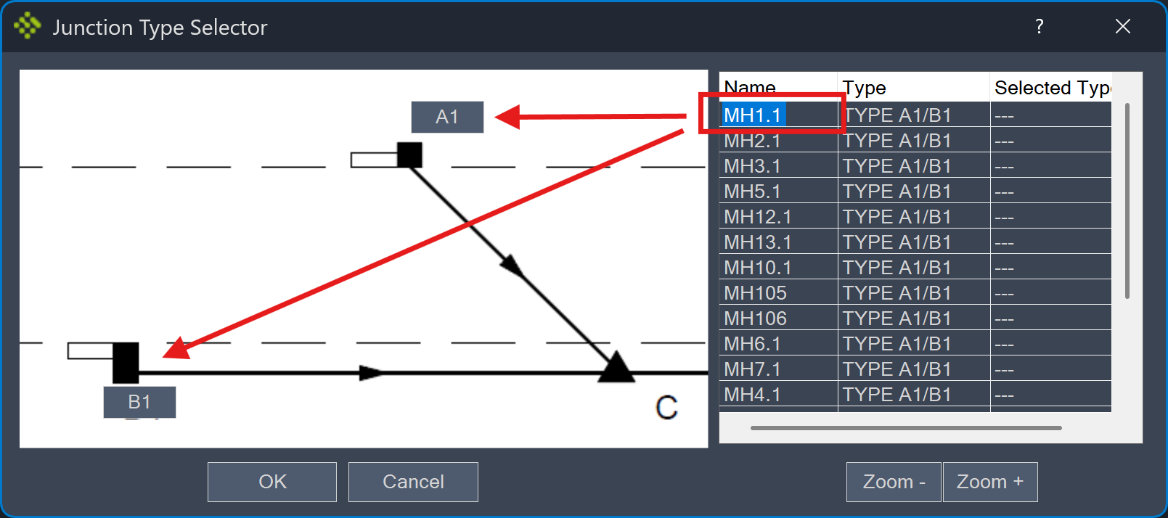
Click on the structure Name in the selector window and click either on A or B. When you select a structure the model space zooms to its location to make it easier to specify if it should be a type A or B. There are also Zoom- and Zoom+ buttons as additional zoom options.
The Selected Types are displayed in the selector window:
-
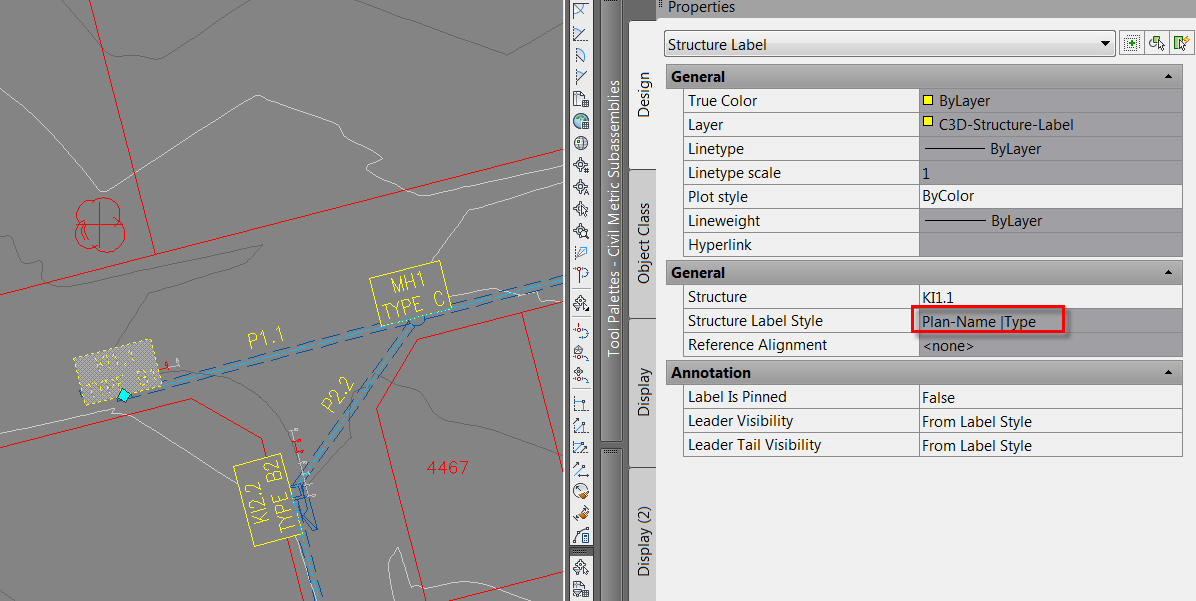
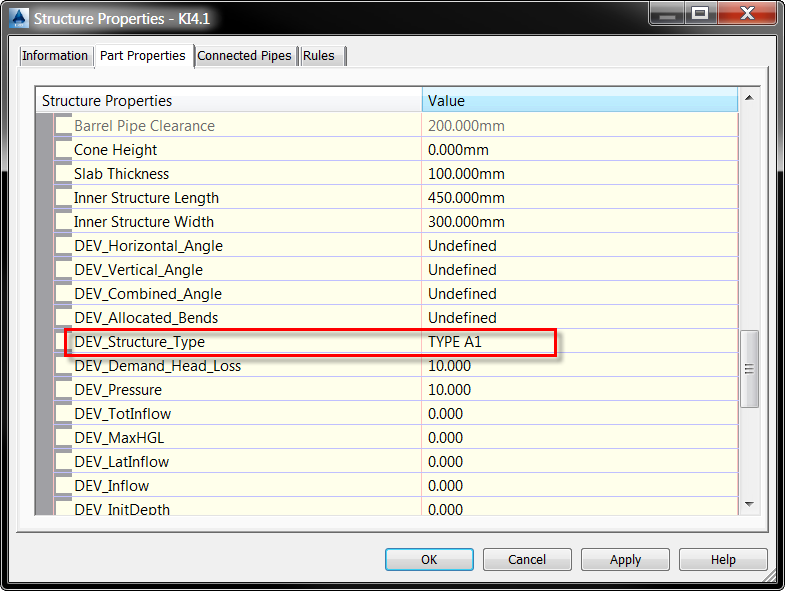
When you click OK, the type for all the structures is written into the structure properties:
-
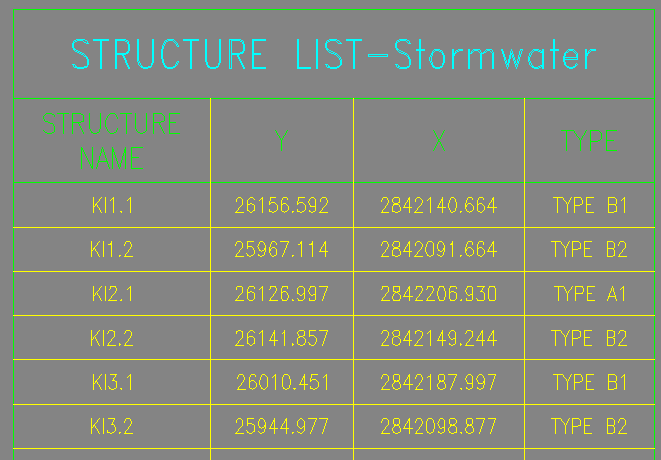
The structure type can be displayed in labels and tables: