Surfaces
DifficultyintermediateAdded2027.0Statusdraft
Import GPX Command
Description:
Imports points from a Garmin GPX file.
Location on Compact Ribbon:
Location on Extended Ribbon:
Instructions:
-
Import points from Garmin into Base Camp software:
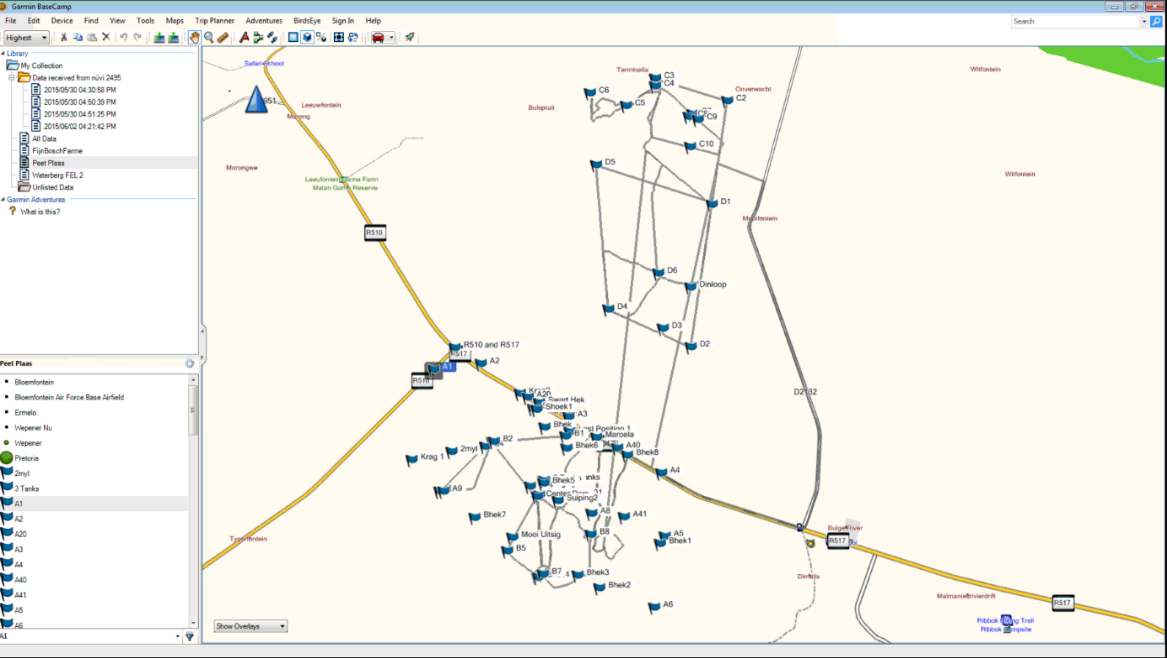
-
Go to File – Export and export points to GPX format:
-
To check the position being used in Base Camp, go to Options, Measurement tab and check the Position:
-
Go to user points and check which longitude is used (displayed next to Position):
-
Go to Civil 3D – Toolspace – Settings, right-click on the drawing name and select the Edit Drawing Settings command:
-
Set up the correct coordinate system in the Units and Zone tab:
-
Run the command Import GPX
-
Browse for the GPX file
Imported points: