Draw Parts CommandDifficultyintermediateAdded2027.0StatusdraftClean Up Command
Description:
Adds pipes and structures along the alignments, adds crossing pipes and removes pipes and structures from the profile views within the profile view visible area.
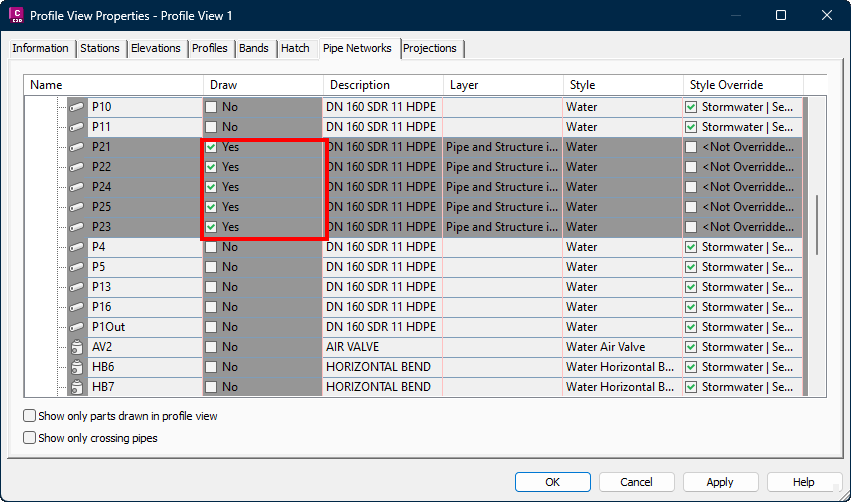
Displaying only the parts that fit within the visible area enhances Civil 3D's performance, especially when working with large networks. For instance, in the profile view below, only five structures and six pipes are displayed. However, since all pipes and manholes are enabled in the Profile View Properties, this can negatively impact Civil 3D's performance:
Profile View Properties window:
Location on Compact Ribbon:
Location on Extended Ribbon:
Instructions:
-
Run the command.
-
Select the profile view(s) by using the selection button and selecting them from model space:

-
To select the network(s) to be processed either select the network(s) from the Networks drop-down or use the selection button to select the network(s) from model space:

-
If there are crossing networks selected then a crossing pipe style and crossing label can be applied. Select the crossing pipe style and label that must be applied per network. If no style is required set it to <None> note that the crossing label option is only available for Civil 3D 2026 and later):

-
If crossing styles and labels are applied, then existing crossing styles and labels can be retained by selecting the following options:

Result:
The complete dialog with all options: