Roads
Command
Data Source CommandDifficultyintermediateAdded2027.0StatusdraftSet Data Source Command
Description:
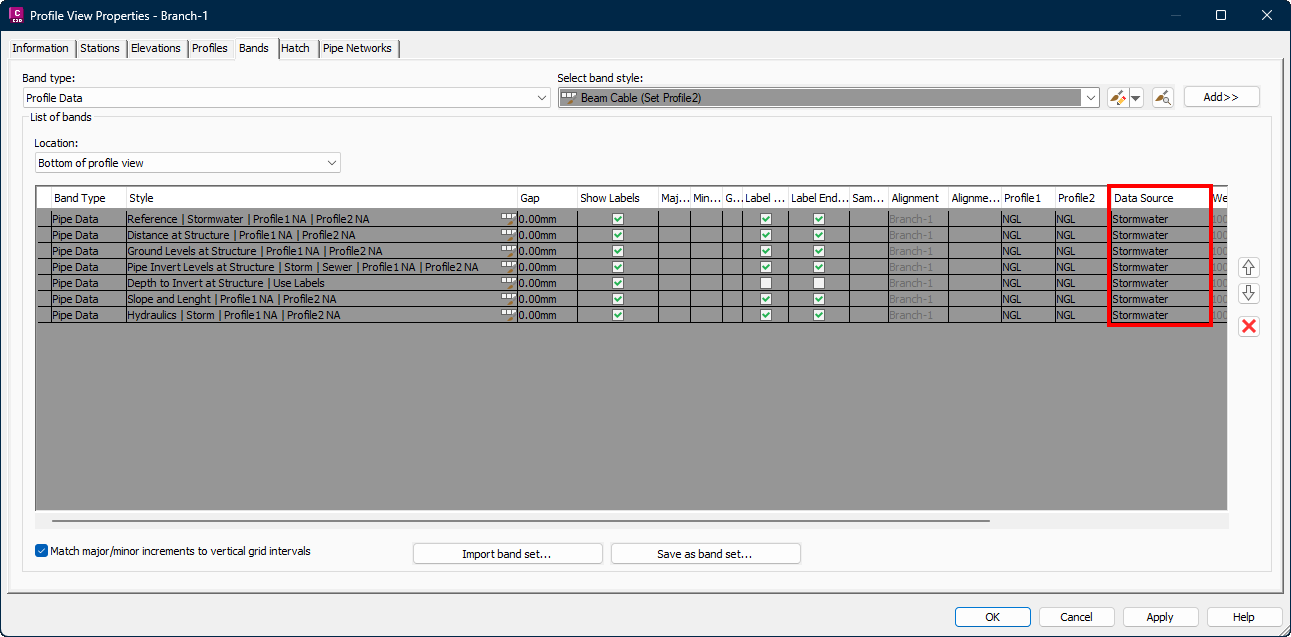
If a profile view band set is changed, the data source must be set as well. Unfortunately, this needs to be done manually for every single pipe band. The Set Data Source command sets the data source automatically for all the bands in a profile view:
Location on Compact Ribbon:
Location on Extended Ribbon:
Instructions:
-
Run the command.
-
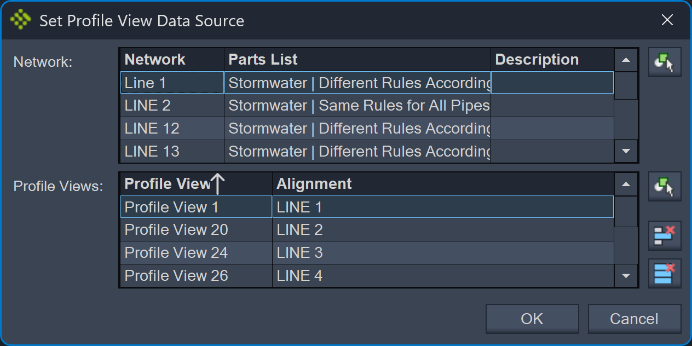
Select the network and profile views which should be set for the data source:
-
To check if the data source was updated, go to the Profile View Properties, Bands tab: