Grade CommandDifficultyintermediateAdded2027.0StatusdraftGrade Profile Command
Description:
This command can grade a profile between two selected points of vertical intersection (PVIs). The PVIs do not need to be next to each other, there can be other PVIs between the selected points. This command can be used for any editable profile (road profile, pipe network profile, pressure network profile). The profile can contain vertical curves (circular and parabolic, symmetrical and asymmetrical). The vertical curve will be removed if it cannot fit in because of the updated geometry.
Location on Compact Ribbon:
Location on Extended Ribbon:
Instructions:
The slope can be defined in percentage, ratio, degrees or relative degrees. Relative degrees are related to the incoming tangent slope. It can be used for bulk water pipeline design to ensure the desired vertical bend between incoming and outgoing tangents is achieved.
The command can be used in the forward and backwards direction.
Positive value means that the slope goes up and a negative value means that the slope goes down regardless the grading direction (forwards/backwards).
-
Run the command.
-
Select a profile.
-
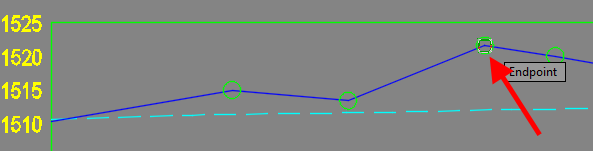
Select start PVI:

-
Select end PVI:
-
Specify slope or use calculated value:

Result: