From Pipes CommandDifficultyintermediateAdded2027.0StatusdraftProfile from Pipes Command
Description:
Creates profiles from pipes automatically. The following pipe profiles can be created: outside top, crown, center, invert, outside bottom, trench.
Important: Profiles from pipes are not dynamic, if you change the pipe network geometry, you must recreate them. There is an option to update the geometry of existing profiles.
Pipe profiles serve various purposes, one of which is displaying pipe invert levels and trench depths at intervals along a long section.
Location on Compact Ribbon:
Location on Extended Ribbon:
Instructions:
-
Run the command.
-
Click the select button and select one or more profile:

-
Select the network that the profiles must be created for:

-
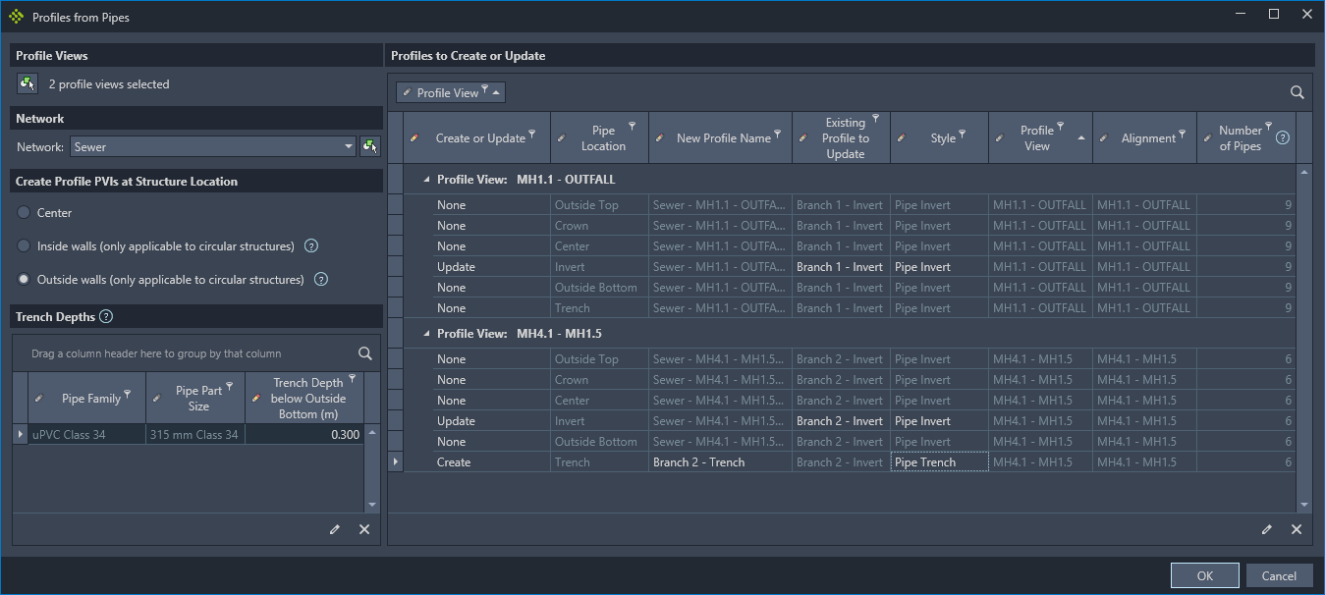
Select the location on the structure where the profile PVI points will be created. The Inside walls and Outside walls options are only applicable to circular structures. If either of these options are selected and a non-circular structure is present, then the structure location for the non-circular structure will change to Center.

-
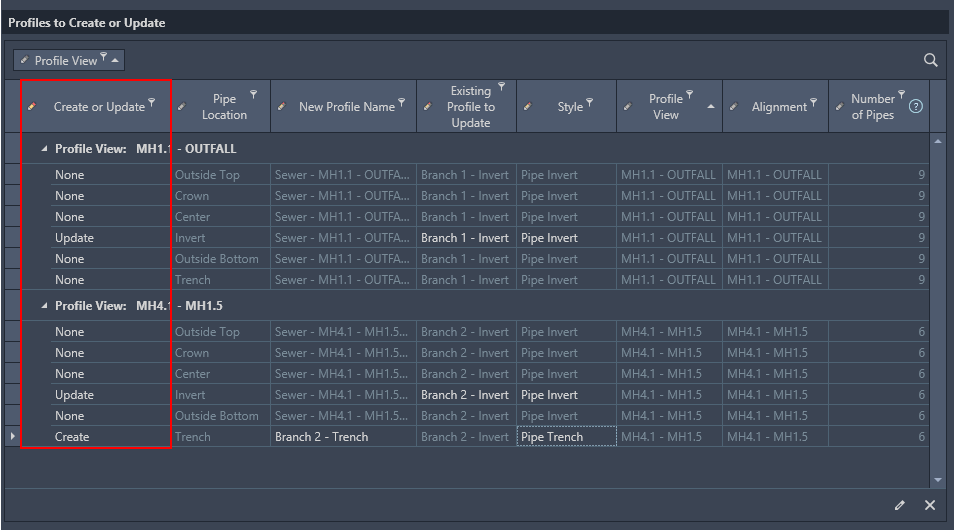
The profiles table contain all the possible profile creation option listed per profile view. In the Create or Update column choose the action to be performed for each profile type. Create will create a new profile, Update will update an existing profile**,** and None will do nothing.
-
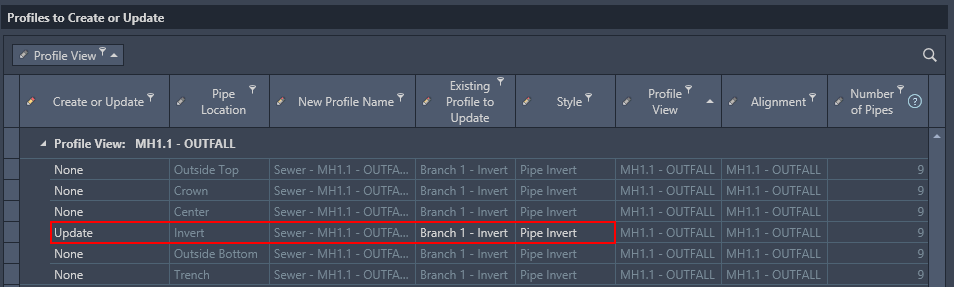
If Update is chosen, then choose and existing profile to overwrite and, optionally, choose a profile style to apply to the profile.
-
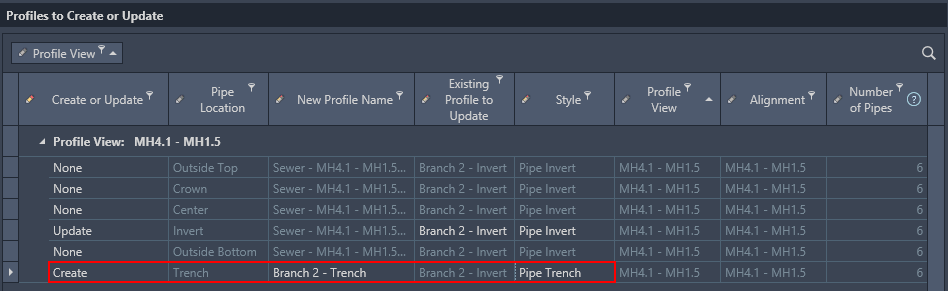
If Create is chosen, then give the new profile a name (or keep the auto-generated name), and choose a style to apply to the profile.
-
If a trench Pipe Location is to be created of updated the trench table will become active. In the Trench Details table every pipe part size is listed that is present in the selected profile views. A trench depth can be provided for each pipe part size in the table.

-
Click the Ok button and all of the specified profiles will either be created or updated for each of the selected profile views.
The complete dialog with all options:
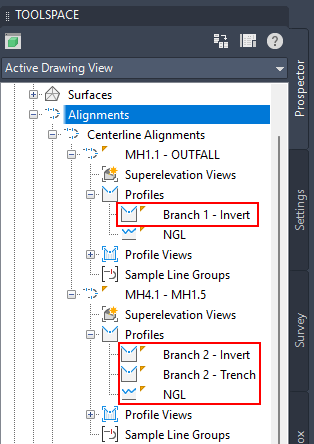
The created profiles in the prospector:
The created profiles in the profile view:
Profiles from pipes troubleshooting
This command can fail if there is a structure that does not have an insertion point exactly on the alignment:
Solution: move the alignment or structure to align the objects with each other.
Note: Finding a structure that does not sit exactly on the alignment can be done from the Prospector as per image below (sort the structures by column Offset):