Copy Elevation Analysis Command
Description:
Copies a surface elevation analysis from a source surface to multiple destination surfaces.
Location on Compact Ribbon:
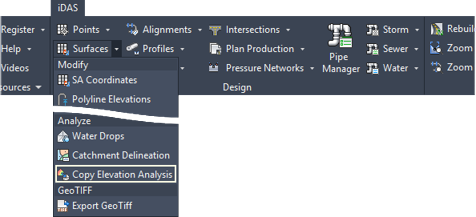
Location on Extended Ribbon:

Instructions:
-
Click on the command in the ribbon.
-
Select a source surface that has the elevation analysis already applied. The elevation analysis of the selected surface will be copied to the destination surfaces selected in the next step. The source surface can also be selected from a list by selecting the liSt option.

-
Select one or more destination surfaces to copy the elevation analysis to. The destination surfaces can also be selected from a list by selecting the liSt option.

Note that a surface style, that displays the elevation analysis, will still need to be applied to the destination surfaces before the elevation analysis results can be seen.