Import 3D FacesDifficultyintermediateAdded2027.0StatusdraftImport 3D Faces Command
Description:
Imports 3D faces from another drawing that fall within a polyline. This is useful when a drawing contains too many 3D faces which degrades performance and only a small region of the drawing is needed for a design.
Location on Compact Ribbon:
Location on Extended Ribbon:
Instructions:
-
Open or create a drawing where the 3D faces need to be imported into.
-
Draw a polyline around the area where the 3D faces are required.
-
Run Import 3D Faces command.
-
An open file dialog will be shown. Choose the drawing containing the 3D faces and click OK.
-
Select the polyline from model space and press Enter
-
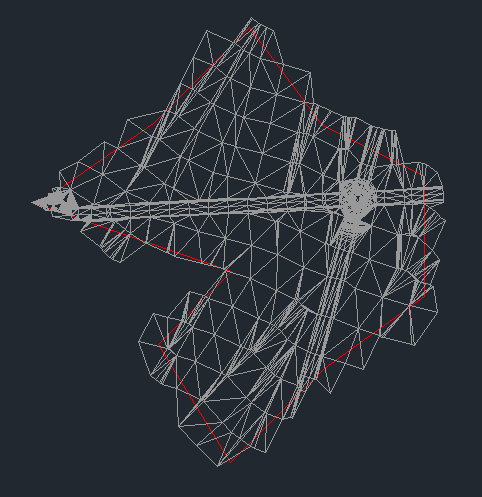
Wait for the command to process. Depending on the number of 3D faces in the import drawing it could take a while. Only 3D faces which have at least 1 vertex inside the polyline will be imported. The image below is an example of an import: