Extract Regions Command
Description:
Extracts surfaces along an alignment at an interval. This command is suitable for large surfaces, it creates new surfaces from the original surface for each defined region. It can also be used to crop large surfaces along an alignment. The extracted surface accuracy is the same as the original surface.
Location on Compact Ribbon:
Location on Extended Ribbon:
Instructions:
- Run the command.
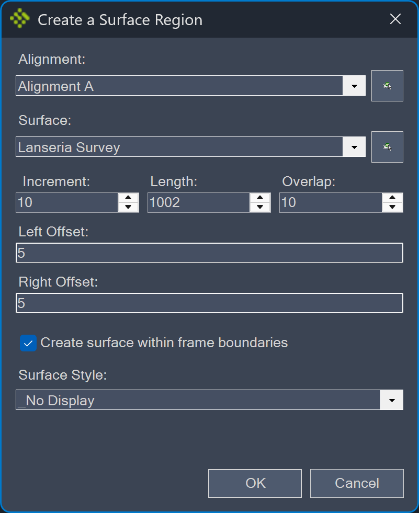
- Specify the extraction region parameters:
Increment − defines the region boundary point distance. The lower the value the more accurately the region boundary will follow the alignment.
Length – the region length.
Overlap – the overlap between regions.
Offset − defines the region width on the left or on the right side.
The image below shows multiple surfaces for each region, the surface for the first region is highlighted in blue: