Extract and Simplify CommandDifficultyintermediateAdded2027.0StatusdraftExtract Surface Command
Description:
Large surfaces might slow down certain processes, this command speeds up the design process by extracting a new surface from the original surface and simplifying it. Working with a simplified surface is much faster, once the design is finished the original surface can be used for final adjustments, plan production and quantities.
Location on Compact Ribbon:
Location on Extended Ribbon:
Instructions:
-
Click on the command in the ribbon.
-
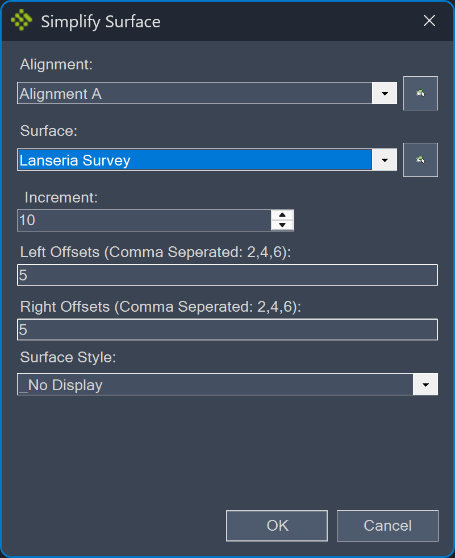
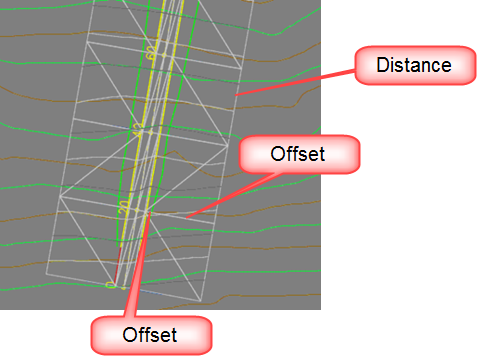
Specify the properties. The Increment is the distance between the surface points along an alignment. The Offsets are the perpendicular distances from the centerline at which the surface is created. Multiple offsets can be used:
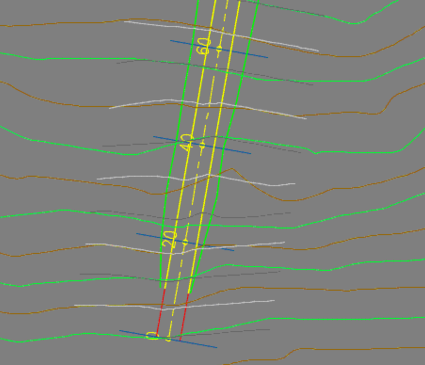
A comparison of the extracted surface (grey contours) and the original surface (green and brown contours):
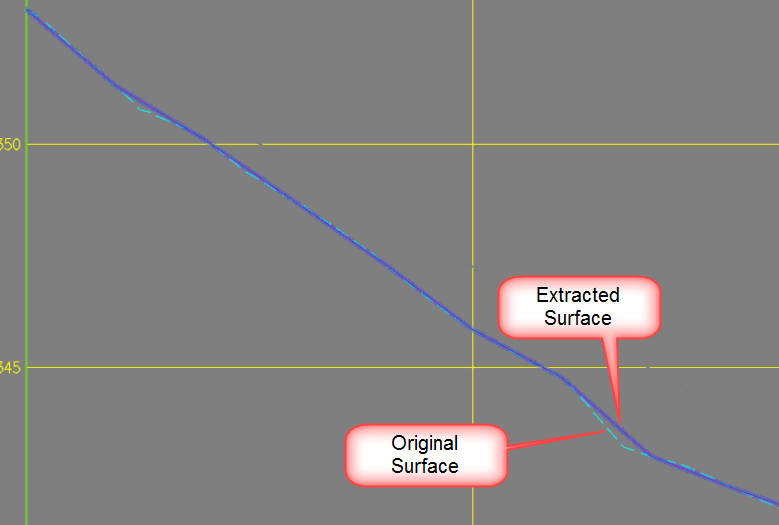
Surface comparison in a longitudinal section: