Add Pipe and Structure Labels
Insert Labels
Civil 3D allows you to add labels for pipes and structures in plan, profile views and cross-sections.
-
Select any part of the pipe network and go to Pipe Networks ‒ Add Labels ‒ Add Pipe Network Labels:
-
In the Add Labels window specify if you want to add labels for the plan, profile view or cross-section, and if you want to add labels for one part only or the entire network:
Labels in plan:
Move Labels
Labels can be moved with the grip points which appear in model space once a label is selected:
A moved label shows more grip points (some for the leader). The circular grip point is used to reset the label to its original location:
A Civil 3D bug prevents some structure labels to move. The image below shows a label that doesn't move although the grip point is moved:
The following workaround can be used to fix this problem:
- Go to the Structure Properties:
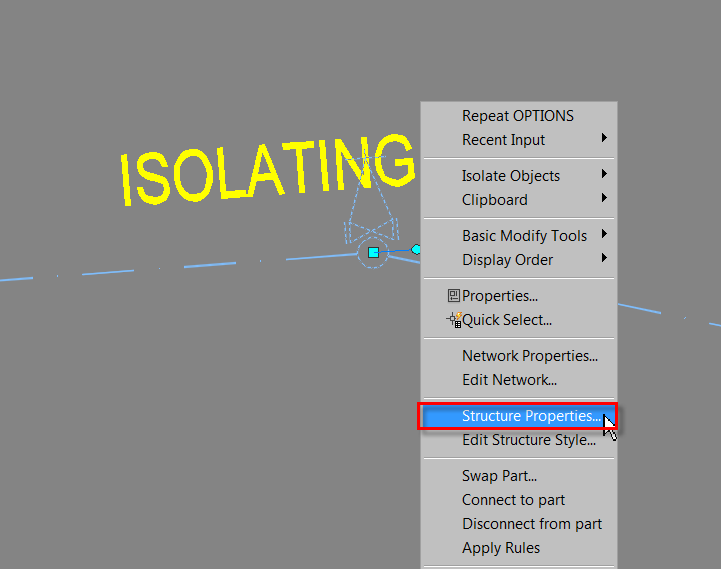
- Change the structure Style to Junction:
The moved label:
- Change the style back to the original one. The label will remain movable until you click on the circular grip point which resets the label:
How to Display Nominal Diameter for Crossing Pipe Labels
The standard labels for crossing pipes in the profile view don't have the option to use the nominal diameter (only inner or outer diameter), therefore you must use an Expression.
-
Go to Settings – Pipe – Label Styles – Crossing Profile, right-click on Expressions and select New:
-
Specify the name and expression:
-
Add an IF condition for each inner diameter, the inner diameter is in meters. The example above is for two pipe sizes but you can add as many as needed.
Below is the expression from the above print screen which you can copy into your expression and modify:
IF({Pipe Inner Diameter or Width}=0.272,300,
IF({Pipe Inner Diameter or Width}=0.343,350,{Pipe Inner Diameter or Width}))
- Add an expression to the crossing pipe label:
Result: