TrainingStormwaterWastewaterWater
DifficultyadvancedAdded2027.0Statusdraft
Export Pipe Network Data (pipe network training)
Export from Devotech iDAS Pipe Manager
There are various options to export the pipe network details with Devotech iDAS:
-
-
-
-
-
Most of the Pipe Manager grids can be exported to Excel:
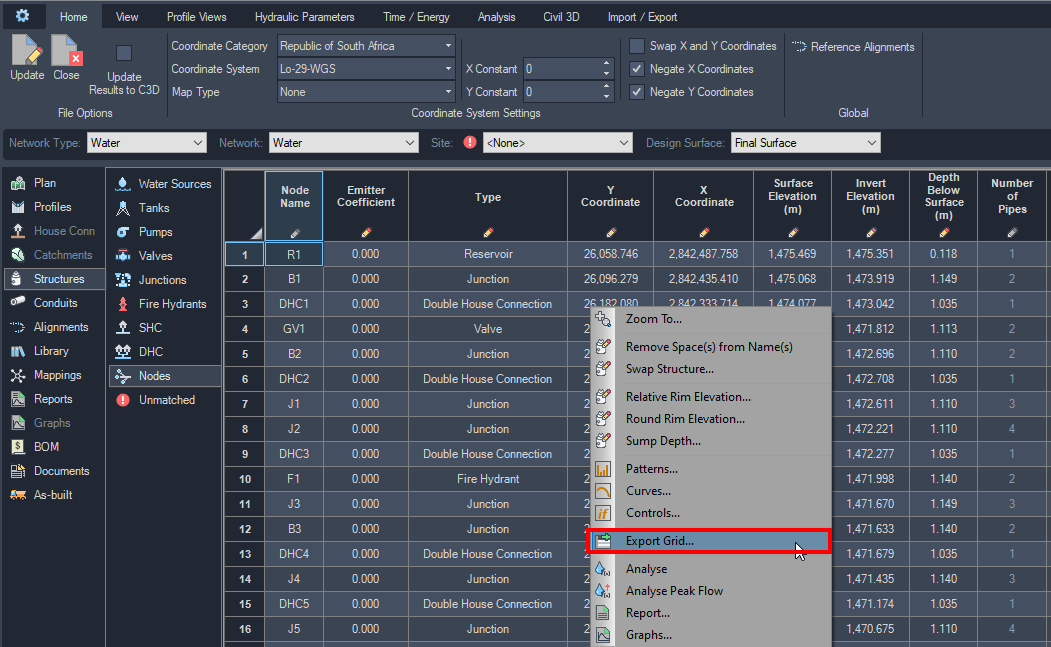
-
Any profile view branch can be exported to the Project Report (Excel file). This file gets created in the folder where the drawing is saved.:
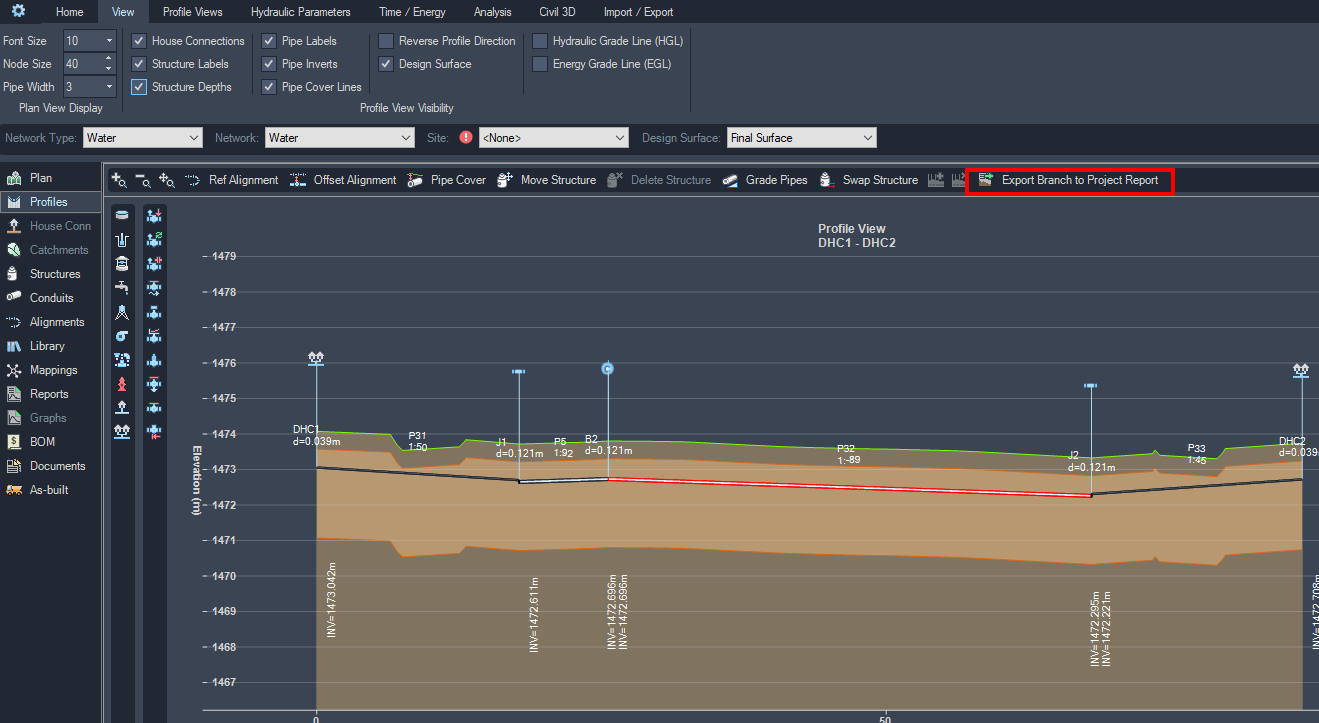
-
Stormwater and sewer network details can be exported to a Project Report (Excel file) during the analysis. This Excel file gets created in the folder where the drawing is saved.

-
-
-
-
Export with Civil 3D Toolbox:
-
Go to Toolbox and expand the Pipes menu**:**
-
Double-click on any command to execute it. The image below shows structures exported to CSV opened in Excel: